
Compromised Passwords
Compromised passwords are passwords previously exposed in data breaches — incidents where a service was hacked and its user credentials leaked online. Even if you haven't noticed anything wrong, your password may already be in circulation and used to try to access your accounts — especially if you reuse the same password elsewhere.
How to check
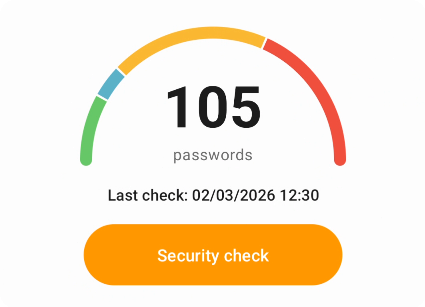
Security check results
On your phone, tap Security in the bottom menu, then Security check. On the Check Passwords screen tap Check. Safe scans your databases and shows how many unique compromised passwords were found.
The Security screen then shows four tiles: Compromised, 2FA missing, Weak & reused and Passkey missing. Tap Compromised to see the affected cards. Note that the count shows unique passwords — if the same password is used on multiple cards, all of them will appear in the list. The Important / All switch at the top limits the check to key accounts (email, banking, social media) or shows all cards.
On a computer, choose Tools → Check passwords. The results appear in the left panel under Security → Compromised Passwords, next to Weak Passwords and Same Passwords.
How it works
Safe uses haveibeenpwned.com — a trusted database of over half a billion leaked passwords. Your passwords are never sent anywhere. Safe uses a k-anonymity approach: only a short prefix of a password hash is transmitted, and the match is done locally on your device. The service never sees your actual passwords or full hashes.
What to do next
For each compromised password, open the card and update it on that website or service. If you reuse the same password elsewhere, change it there too.