
Safe for Agents — Let an AI Agent Sign In and Pay for You
Safe for Agents lets an AI agent use your Safe when it works on websites for you. An AI agent, such as Claude or ChatGPT, can do tasks on websites on your behalf. When it needs to sign in to a site or pay with a card, it asks Safe to fill in the form.
You stay in control: Safe asks you before every request, and the agent never gets your passwords or card numbers from Safe.
Connect an AI agent
Open Safe settings and go to the AI Agents tab. Safe settings are in Tools → Options on Windows and in Safe → Preferences… on Mac.
- Claude — click Connect Claude. Claude shows its own installation window; follow it to finish.
- ChatGPT — click Connect ChatGPT. Safe adds itself to the MCP servers of ChatGPT, where you can turn it off later. On Mac, Safe asks you to select the .codex folder in your home folder. Then restart ChatGPT.
If ChatGPT has never been started on this computer, Safe asks you to start it once; then click Connect ChatGPT again.
You only need to connect each app once.
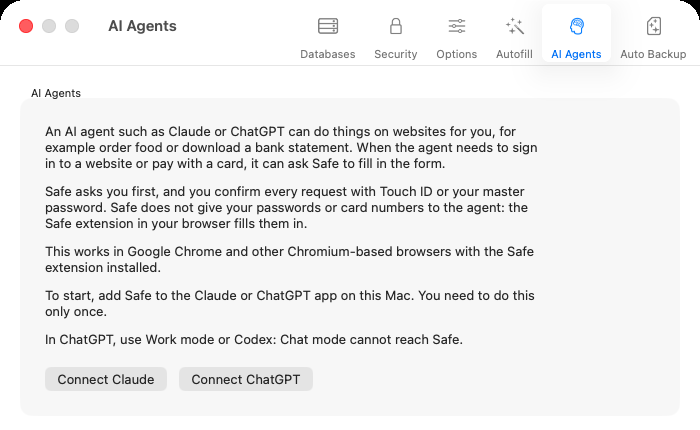
The AI Agents tab in Safe settings
Where it works
Safe for Agents works in Google Chrome and other Chromium-based browsers with the Safe extension installed.
What the agent can and can't get
Safe asks you first. Every time the agent asks Safe to fill a form, you confirm the request with Windows Hello (Touch ID on Mac) or your master password. Nothing is filled until you confirm.
Safe doesn't hand your passwords or card numbers to the agent. The Safe browser extension types them straight into the form on the page.