
Can't Restore My License
If your Premium license isn't activating, the fix depends on which product you purchased. Figure out which case is yours, then follow the steps below.
You purchased Safe
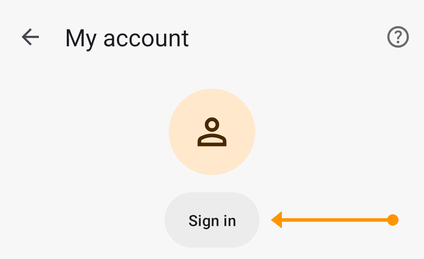
Sign in
Try these steps:
- Make sure you're signed into the same Google or Apple account you used when you purchased
- Tap the Safe button in the top-right corner of the app → My account → Sign in, and sign in with the email you used for the purchase
SafeInCloud 1 Individual Pro
SafeInCloud 1 Individual Pro is a single-platform license — it covers one OS only, not both.
You can activate your license inside Safe: tap the Safe button in the top-right corner of the app → My account → Sign in, and sign in with the email of the store account where you originally purchased. Your license will appear in My account as SafeInCloud 1 Pro.
To get the full Safe experience — cross-platform support, passkeys, and all new features — tap Upgrade on that card. Existing SafeInCloud 1 users get a discount. See From SafeInCloud to the New Safe.
SafeInCloud 1 Family
SafeInCloud 1 Family (app with red icon) restores automatically via the store. Make sure you're signed into the same Google or Apple account used for the original purchase, then simply install and open the app — your license will be recognized.
Safe Family License
Family licenses are managed by the organizer — the person who originally purchased Safe Family.
- If you're an organizer and your license isn't working: check steps above or contact support@safe-in-cloud.com with your purchase receipt
- If you're a family member and your license stopped working: ask the organizer to check the invitation via My account → Manage family
See also: Family License
None of the above?
Contact support and include:
- Your purchase receipt (email from Google Play or App Store)
- Which device and OS you're on
- What you see when you try to restore
Email: support@safe-in-cloud.com