 Safe Knowledge Base
Shared Database via WebDAV
WebDAV is a great option for sharing a database with your family when you don't want to add a shared Google account to everyone's phone. You just enter a login and password in Safe — no system-level accounts needed.
What is WebDAV?
WebDAV is a standard protocol for file storage that many cloud providers support. Think of it as a universal cloud connector — you sign up with a provider, get a login and password, and use those in Safe to sync your database.
Step 1: Choose a WebDAV provider
Safe has built-in presets for many WebDAV providers. We recommend Koofr:
- 10 GB free storage, no device limit on any plan
- Explicitly maintains WebDAV support — they've committed to keeping it
- Based in the EU (Slovenia), strong privacy record and GDPR compliant
- Uses app-specific passwords for WebDAV (separate from your main account password — generate one under Preferences → Password for apps)
Other presets available in the app include Disroot, GMX Cloud, MagentaCLOUD, Icedrive, STACK, and more. If your preferred service supports WebDAV, you can also enter the server URL manually.
Step 2: Create an account and note the credentials
Sign up with your chosen provider and keep the login, password, and WebDAV server URL somewhere accessible — all family members will need these to connect.
Koofr WebDAV server URL: https://app.koofr.net/dav
Step 3: Connect Safe to WebDAV
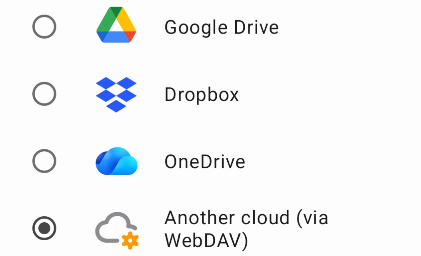
Select WebDAV provider
On each family member's device:
- Open Safe and tap the Safe button in the top-right corner of the app → Manage Databases
- Select the shared database
- Configure its cloud: choose your WebDAV provider from the list or enter the server URL manually
- Enter the shared login and password
- Safe will connect and start syncing