 Safe Knowledge Base
Import Your Passwords
You probably already have dozens of passwords saved in your browser or another password manager. There's no need to re-enter them one by one — Safe can import them all at once, so you're up and running in minutes.
How to import
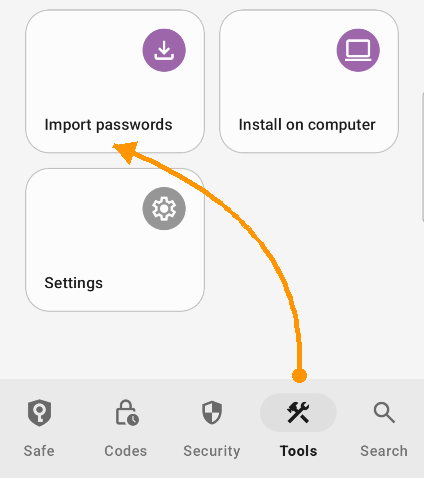
Tap here to import
Open Tools → Import Passwords. The app will show you the available sources and guide you through the process step by step.
Keep in mind that some password managers don't allow exporting data from their mobile apps. If you run into this, just use the Safe desktop app instead. Desktop Safe supports every major password manager and browser.
Having trouble?
If import isn't working as expected, check our Import Troubleshooting guide.
You probably already have dozens of passwords saved in your browser or another password manager. There's no need to re-enter them one by one — Safe can import them all at once, so you're up and running in minutes.
How to import
The Setup wizard will offer to import your passwords. You can also do it at any time via File → Import. You can import from Chrome, Firefox, Safari, LastPass, 1Password, Bitwarden, Dashlane, Keeper, RoboForm, and CSV files from virtually any source.
The app will guide you through selecting the source and the file. If your password manager isn't in the list, most of them can export to CSV — Safe handles that just fine.
Having trouble?
If import isn't working as expected, check our Import Troubleshooting guide.