 Safe Knowledge Base
How to Organize Cards
Safe lets you sort your card list and act on multiple cards at once.
Select and act on multiple cards
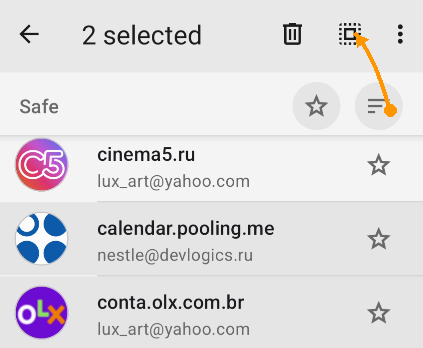
Gray cards is selected; sqare button to select all
Long-press any card to enter selection mode, then tap additional cards to select them — or use Select All to grab everything at once. Once you have a selection, you can:
- Add a label to all selected cards
- Move them to another database
- Delete them
Sorting
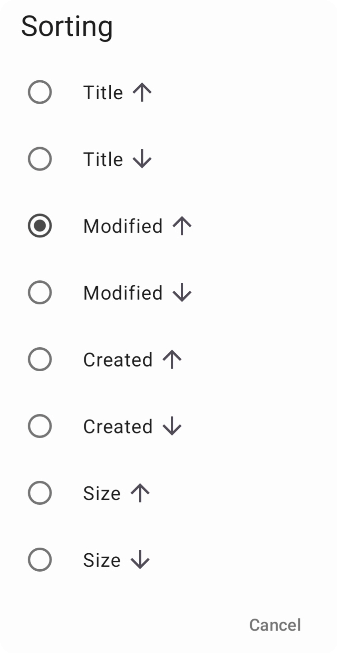
Sort options
Tap the sort icon on the main screen to change how cards are ordered. Options: alphabetical (Title), by modification date, by creation date, and by size.
Actions on a card
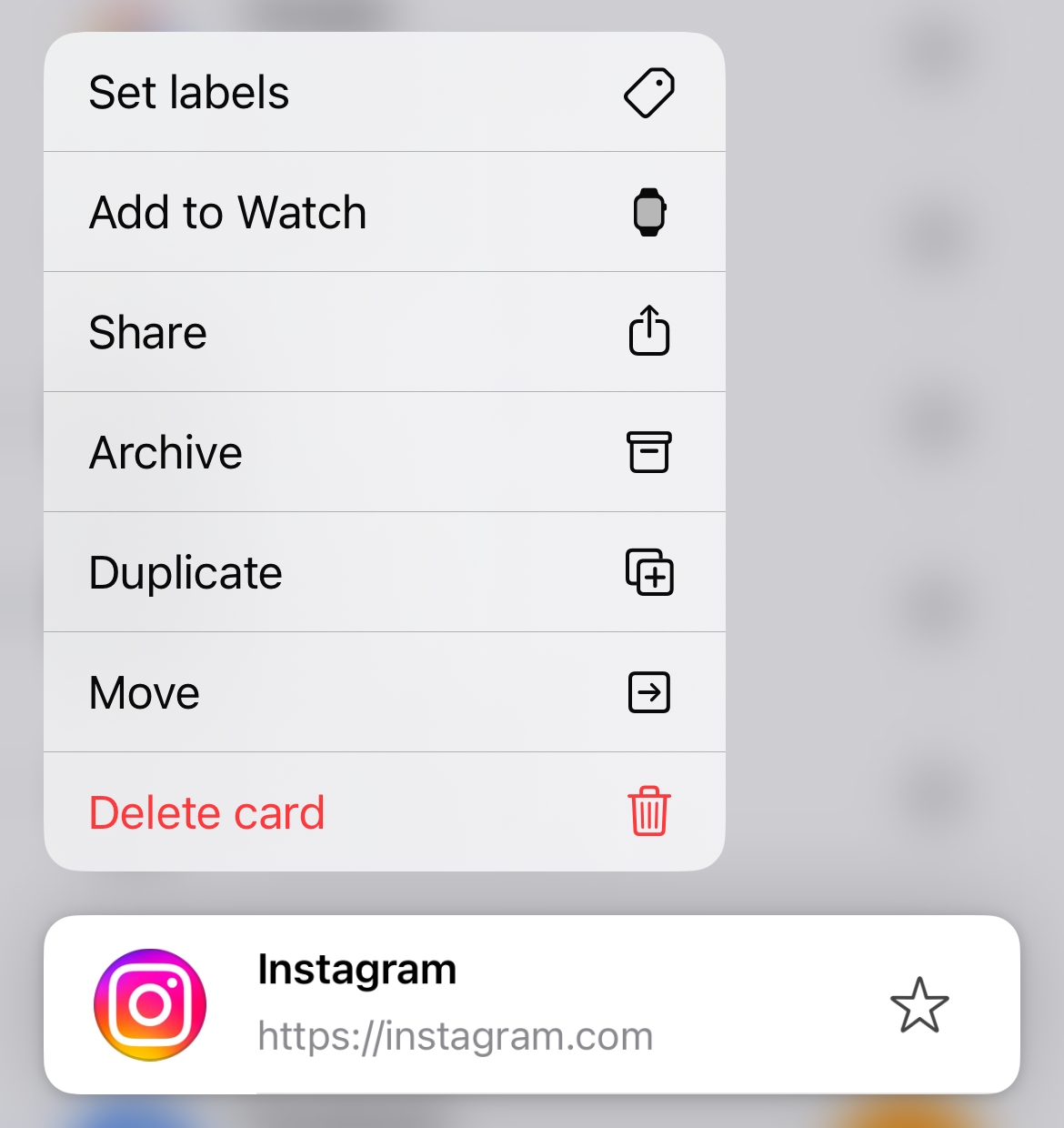
Long-press a card to see actions
Long-press any card to see a list of actions: Set labels, Move, Archive, Duplicate, Delete card, and more.
iOS does not support selecting multiple cards at once — actions apply to one card at a time.
Sorting
Tap the sort icon on the main screen to change how cards are ordered. Options: alphabetical (Title), by modification date, by creation date, and by size.
Select and act on multiple cards
Hold Shift or Ctrl (⌘ on Mac) and click to select multiple cards. Once selected, right-click to open the context menu. Key actions include:
- Edit, Duplicate, Move, Merge — manage the selected cards
- Set labels — assign a label to all selected at once
- Archive, Delete — bulk cleanup
- and more
Sorting
Click the Sort button in the top toolbar to change how cards are ordered. Options: alphabetical (Title), by modification date, by creation date, and by size.